
MuniCollab Features
Dynamic Forms
Powerful Form Tools
Infinitely configurable, applicant forms are easy to set up and update at any time. Applicants will have all the information they need at their fingertips, with forms that update required fields automatically as applicants fill them out.

Intuitive Forms
MuniCollab’s forms are simple to use and easy for applicants to fill out. Application data is validated in real-time to ensure that responses line-up with required information.
Infinitely Configurable
Every municipality is different, which is why MuniCollab’s forms are infinitely adaptable. No matter what data you need to collect, MuniCollab has you covered.
Real-time Dynamic Forms
Questions and guidance update as the applicant fills out their application, ensuring applicants never see an irrelevant question and always provide every required answer.
AI Integration
Intuitive AI Assistant
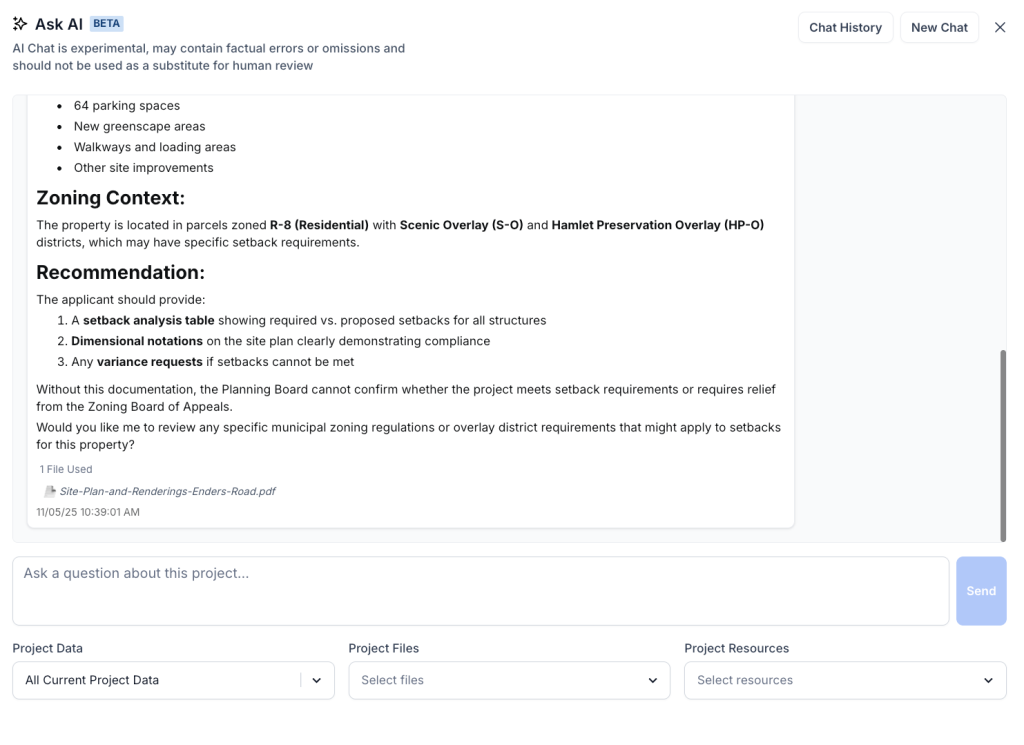
AI project review compares applicant files to municipal code, helps organize documents, and always maintains a human-in-the-loop for decision-making.
Human-in-the-Loop
MuniCollab’s AI tools don’t replace the human review; our AI assistant helps point planners in the right direction, comparing each project with specific sections of your municipalities code.
Simplify File Management
MuniCollab’s AI tools make file management a breeze, quickly analyzing each file added, suggesting helpful file notes and identifying where the file should be stored.
AI Trained for Your Municipality
AI tools should be specific to your municipality. With MuniCollab your municipal code is integrated into the review, along with any other context needed for each project’s review.
Mapping & GIS
Powerful GIS Integratrion
Integrated GIS tools automatically populate each application with the right zoning districts, parcel data, and overlay districts—eliminating guesswork and reducing errors for applicants and staff alike.


Reduce Applicant Errors
Integrated maps means that applicants only need to know their address to ensure that their application has accurate parcel data.
Conditionally Display Zoning Requirements
With MuniCollab, forms can update based on each parcel’s zoning and overlay districts, ensuring that applicants and board members always have the appropriate information at their fingertips
Integrate Multiple Mapping Sources
MuniCollab can integrate maps from multiple sources, overlaying the data and ensuring it is always up-to-date.
Automatic Document Redaction
AI-Powered Redaction Tools
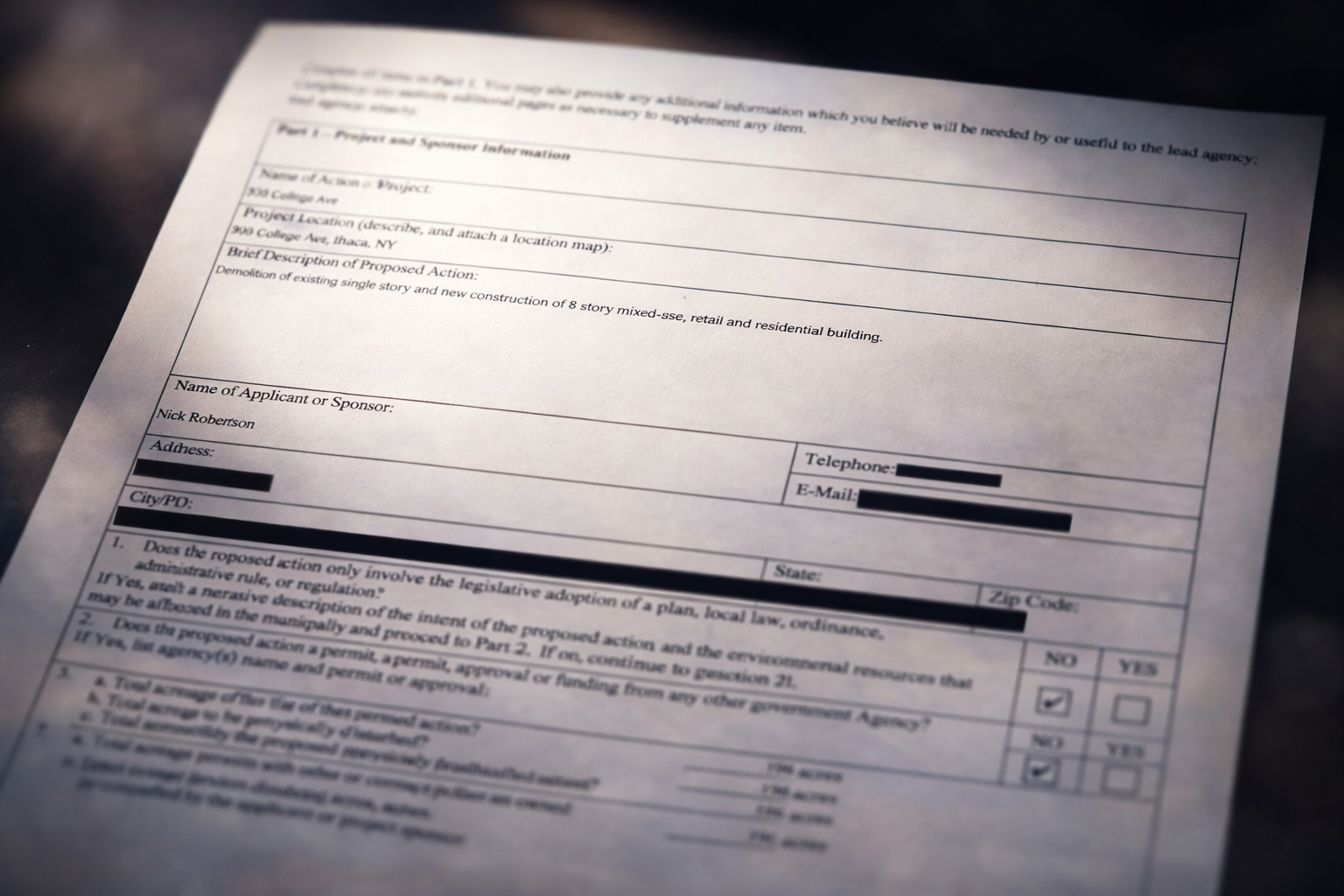
Protect applicant privacy without sacrificing transparency. MuniCollab’s intelligent redaction tool automatically identifies sensitive contact information in uploaded documents, making it effortless to keep personal details out of public-facing files while maintaining full access for authorized staff.
Intelligent Automation
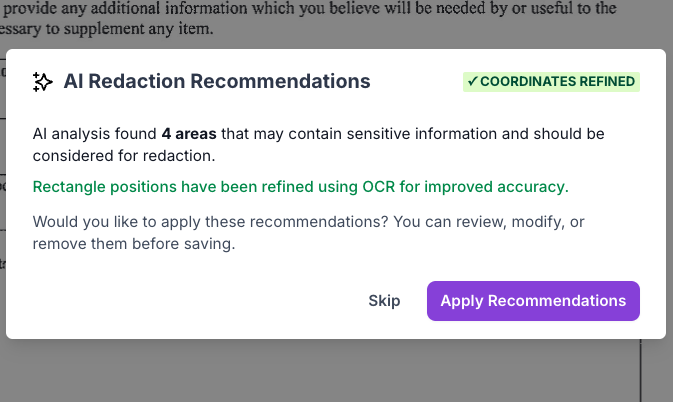
PDF files uploaded to MuniCollab are automatically scanned to identify sensitive information like Applicant email addresses, phone numbers, and mailing addresses. Review the AI-powered suggestions, adjust if needed, and apply them all with one click—in less than 30 seconds.
Permanent, Secure Protection
Redacted pages are converted to image format, permanently removing sensitive information from public versions. Unlike tools that simply draw boxes over text, there’s no hidden layer to expose, no metadata to extract, and no text to copy from underneath.
Complete Control
The manual redaction interface lets you drag to select areas, resize or reposition redaction boxes, and remove any suggestion you don’t want—giving your team full control over what the public sees.
In-line Municipal Code References
In-Line Code References
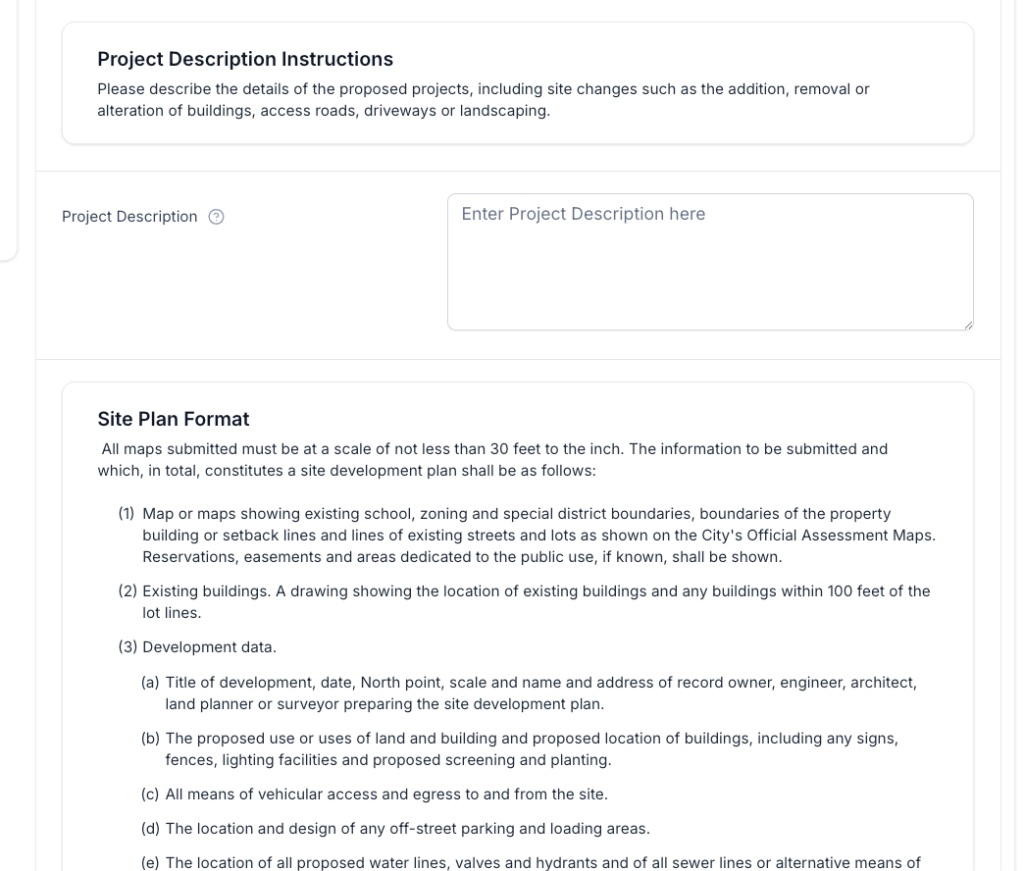
Make your municipal code available in-line on your forms alongside other helpful information and resources for your applicants.

Help Guide Applicants
Put municipal code at applicants fingertips, without requiring them to check multiple sources or review complicated tables.
Streamline Reviews
Ensure that reviews are thorough by placing municipal code alongside the submitted application, assisting staff and board members in their review.
Dynamically Display Sections of Code
With MuniCollab your forms can automatically display the relevant sections of municipal code based on the project’s zoning, or other project details.
Team
Team Collaboration
Applicants can easily add team members, such as architecture or engineers on their side of things, to streamline communication and collaboration.

Collaborate in Real Time
Applicants can bring their attorney, engineer, etc., into the draft application to upload documents and review the submission before it is finalized.
Keep Everyone on the Same Page
All users who accept their system-generated invitation will receive email notifications for project updates, status changes, and requests for additional documents.
No Limit on Users
Municipal Staff and Applicants alike can add as many users to a project as they need.
Tasks
Powerful Task Tools
Assign and track review tasks for applications automatically.


Streamlined Project Management
Keep each project’s tasks nicely organized in one place, ensuring staff visibility to all stages of the application.
Intuitive Task Tools
Attach individual files to tasks to ensure that the assignee is working with exactly the information that they need to have at their fingertips.
Conversation Hub
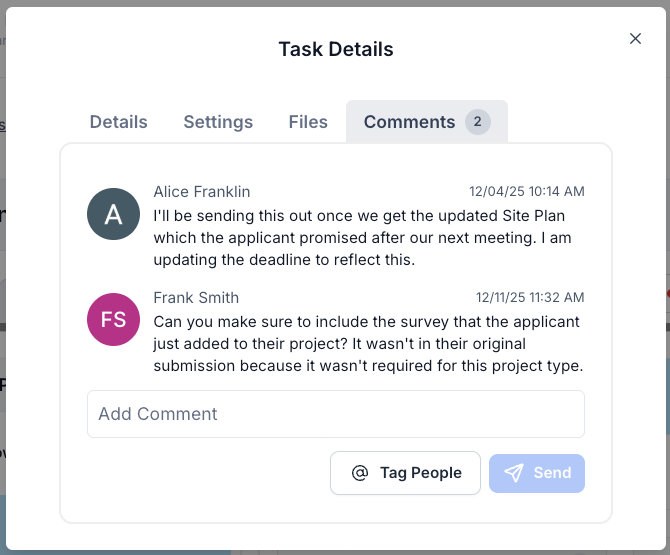
Leave comments on tasks to ensure that everything is understood and the entire team is on the same page.
Agenda Builder
Dynamic Agendas
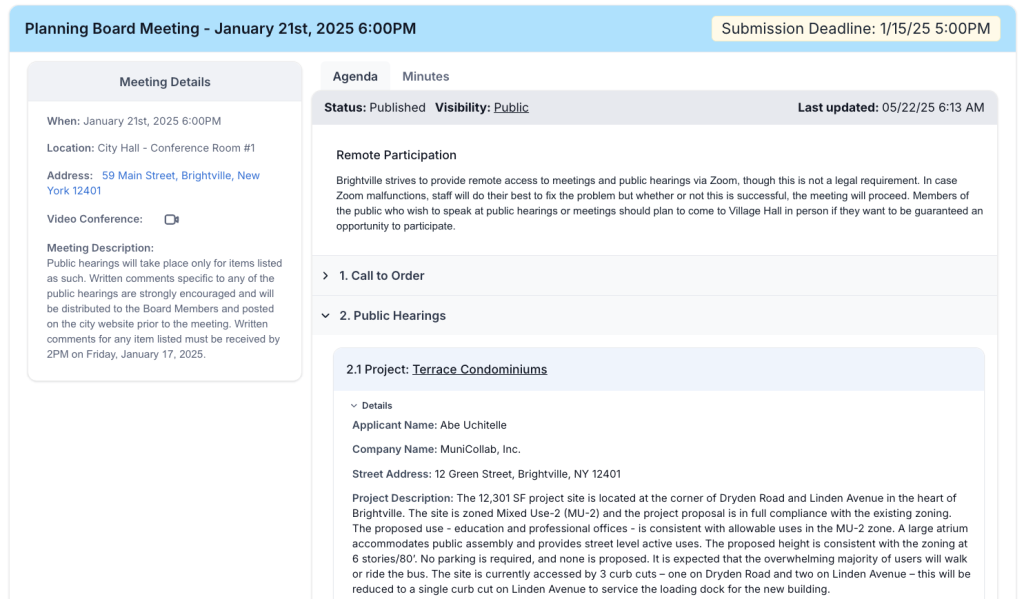
Quickly create meeting agendas selecting specific projects and files for review at your next meeting. Highly configurable and designed with intuitive visibility controls, these powerful agendas can keep your entire team on-track.
Curated Board Experience
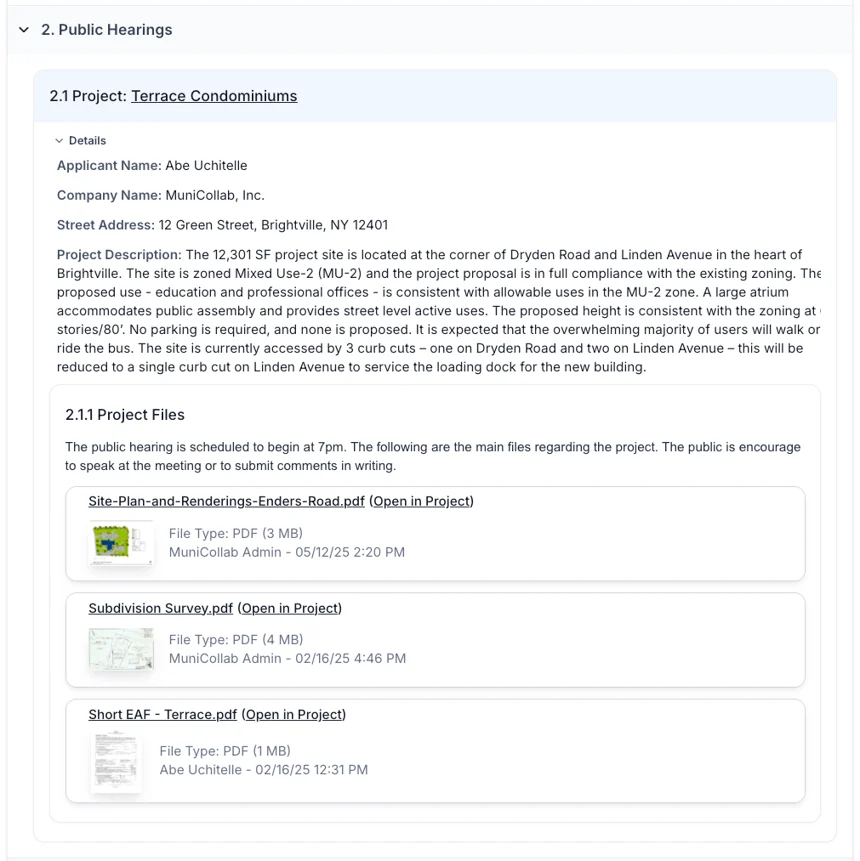
With dozens of project files, showing only what’s needed keeps your board focused. Our dynamic agenda builder lets you select specific files for review and add non-project topics, ensuring nothing is missed and everything is accessible during your meeting.
Agendas and Projects
Static agendas are a thing of the past. With MuniCollab each project on an agenda is dynamically linked, making it easy to review the project details for each item on the agenda.
Submission Deadlines
Submission deadlines further clarify the planning board process to applicants. Anyone wishing to appear on an agenda can now see the relevant deadline while viewing the agenda itself. Each agenda has its own deadline, allowing full customization.
Workflows
Automated Workflows
Ensure the same sequence of tasks occurs for each and every application.

Automate Your Workflows
Using MuniCollab’s powerful workflow tools you can automate your workflows so that every project gets handled the exact same way for each project.
Expansive Workflow Tools
Ensure that critical next steps are lined up for each stage of the application process. Many actions can be automated to keep your life easy and to ensure a repeatable process for all staff to follow.
Visual Progress Guide
Keep the public and applicants in the loop for the status of each project with a visual guide for the project’s progress. Each item contained in the workflow can be adjusted for visibility, giving you full control into what the public and the applicant can see.
Finances
Seamless Invoice Integration
Automatically generate Invoices with Application Fees which can be flexibly configured based upon the size, scale or nature of the project. Track payments and gate further review until application is in good standing.

Automatic Invoice Generation
Easily generate and send invoices when a project is submitted, or on-demand at any time.
Dynamic Invoices
MuniCollab’s invoices automatically adjust to reflect each project’s details, including dynamically adding fees for specific project types, as well as fees that are calculated based on project data like number of bedrooms or square footage.
Online and Offline Payments
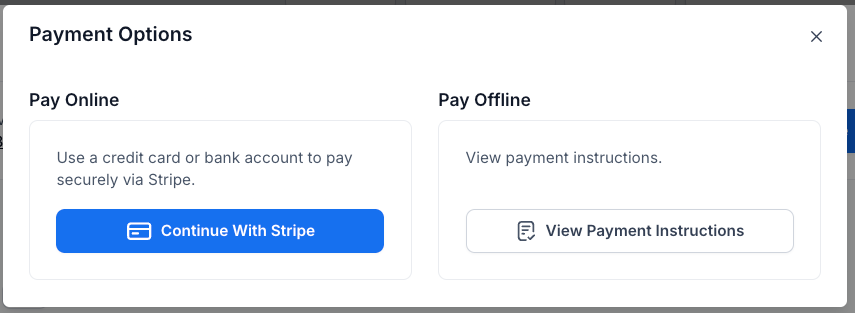
MuniCollab supports the processing of online payments via credit card as well as the handling of offline payments via checks brought to the office.
Requests
Applicant Requests
Easily issue and track requests to applicants to provide additional information such as updated design files.


Stay Organized
Keep all requested changes from the staff and board organized in one place for the applicant to respond to. This ensure that the applicant always knows what they need to do to advance their project towards approval.
Align Requests and Revisions
When new versions of documents are submitted they are easily associated with each request. This way you can easily tell which file addressed which request, and which requests are still outstanding.
Ensure Consistency
Make sure that each file submitted to fulfill a request actually fulfills its associated request. Mark files as fulfilled as they are added to clearly show the applicant what might still be missing.
Records
Maintain Full Record Keeping
Build a complete record, including all application revisions, all requests, all written communication, and all written public comment – ready to export.

Keep Records Organized
Every change, every file, every revision, is tracked clearly for each project, ensuring nothing falls through the cracks when maintaining a full project record.
Easy Exports
Export application data and file indexes with one click. Projects can be exported on-demand and at regular intervals.
Local Backup Capabilities
No special software is required to open exported files, ensuring independence and flexibility to comply with municipal record-keeping policies.

Linked Projects
Easily Link Projects
Projects with applications in front of other land-use review bodies can be linked together to provide visibility across all applicable project reviews.

Multiple Entities – One Project
Keep your planning and zoning boards aware of each other’s applications and actions by easily linking projects between boards.
Cross-Entity Visibility
While each entity might have different applications and membership, applicants can still associate their data across multiple boards, allowing each board to see all relevant aspects of the applicant’s project.
Ensure Alignment
If one board requires the other’s approval for an application to advance, this can clearly be shown in each application. Applicants will have access to all of their applications under a single login.
